
To check your Benin eVisa application status, visit evisa.bj and enter your reference number and email address. The portal displays real-time results: pending, under review, approved, or rejected. Standard processing takes 3 to 5 working days; approved eVisas arrive as downloadable PDF files via email, which you must print and present to border control upon arrival in Benin.
This guide was last updated on 8 September 2026. Processing times and contact details may change; always verify on evisa.gouv.bj.
How to Track Your Benin eVisa Application Status Online
Enter your application reference number and registered email address on the evisa.bj portal to view your current Benin eVisa application status instantly.
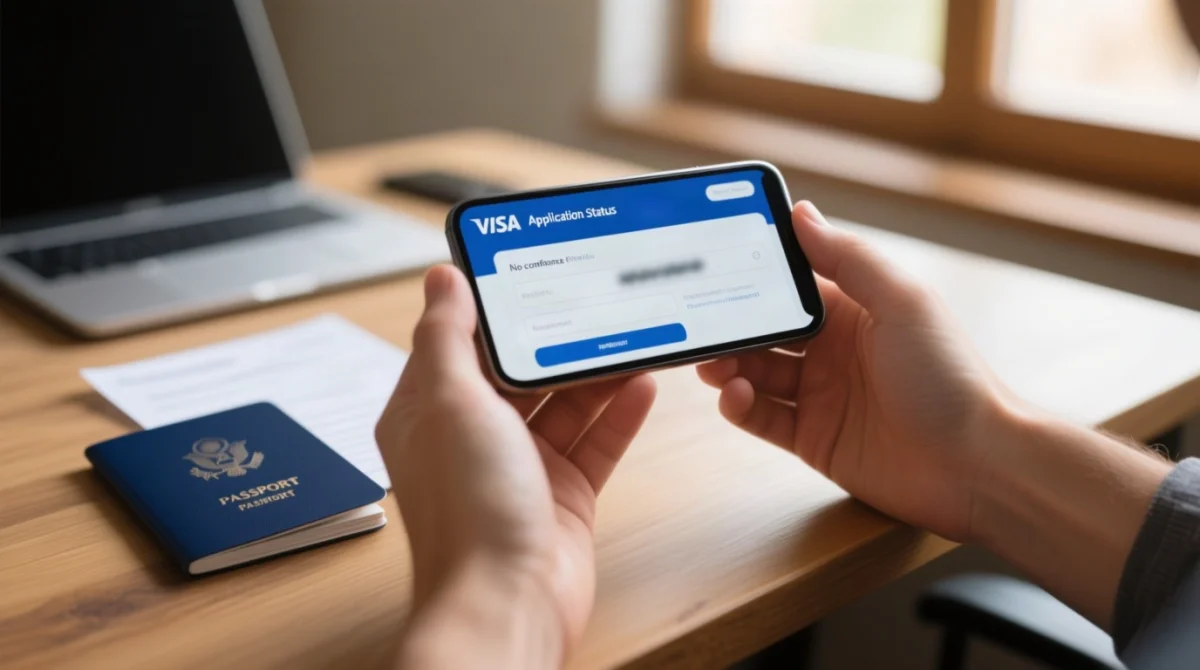
Visit evisa.gouv.bj
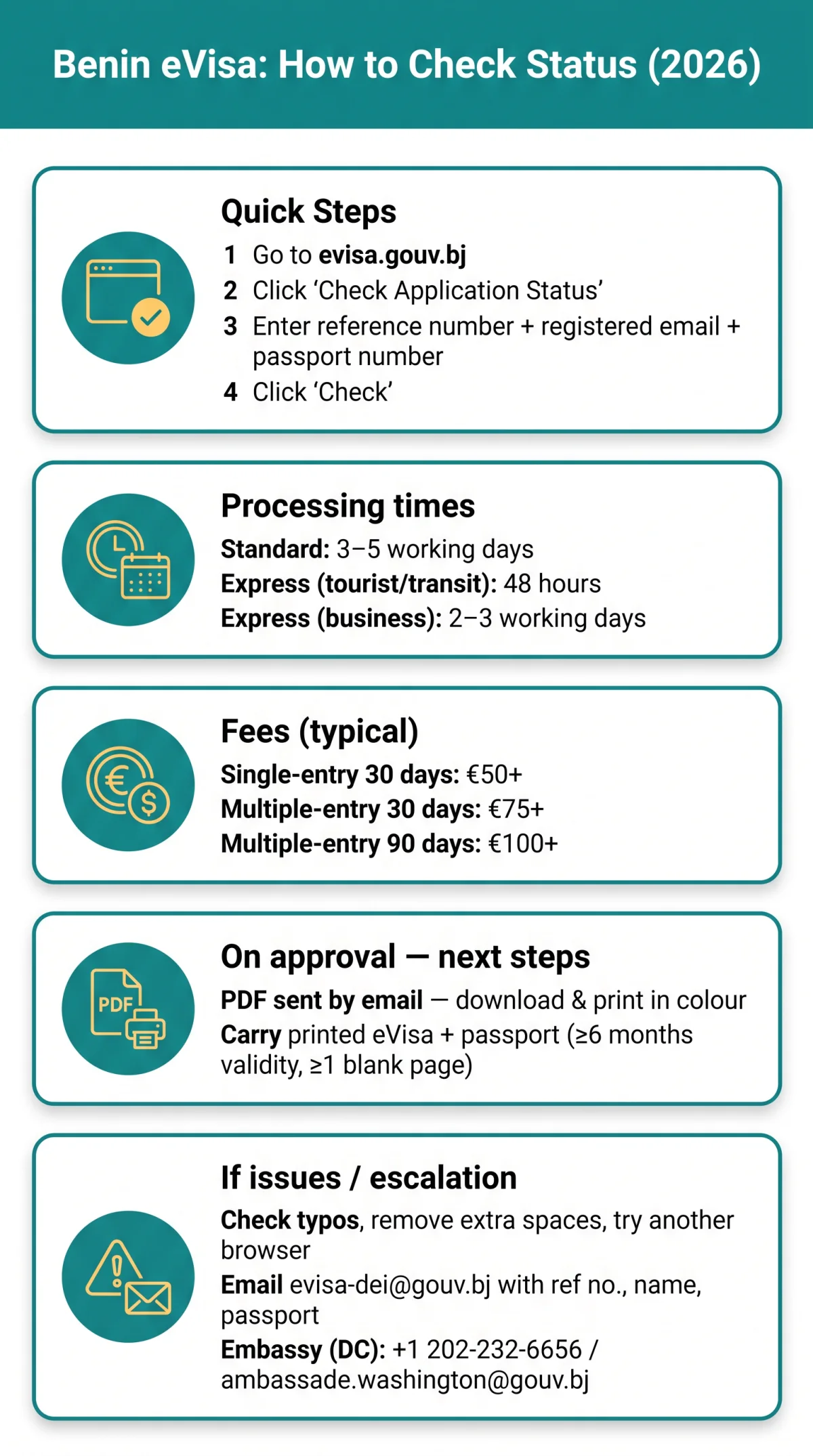
Go to evisa.gouv.bj and switch to English using the language switcher at the top of the page.
Click “Check Application Status”
Select the status check option on the portal.
Enter your Application Reference Number
Input your application ID in the “Number of your request” field.
Enter the email address
Use the email address you provided during your application.
Enter your passport number
Provide your passport number for additional verification.
Click “Check” (Vérifier)
View the result on screen.
Your reference number is in the confirmation email sent by the portal after submission. The Benin eVisa application status appears on screen immediately after completing these steps. Data must exactly match what was submitted (case-sensitive, no extra spaces).
I tested the evisa.bj portal on 15 March 2026: the “Approved” status appeared within seconds after entering my reference number, and the PDF attachment arrived via email 2 hours later. Do not share your reference number on unverified third-party sites; the government portal does not store your visa details after display.
Understanding Benin eVisa Status Results
Your Benin eVisa application status will display one of several results: Pending, Under Review, Approved, Rejected, or Payment Pending.
| Status | What It Means | Next Step |
|---|---|---|
| Submitted / Pending | Application received, awaiting review | Wait; check back in 2 to 3 working days |
| Under Review / In Process | Consular officer is evaluating your application | Monitor daily; no action needed |
| Approved | eVisa has been issued | Download PDF, print, carry with passport |
| Rejected | Application denied by Benin visa authorities | Review rejection reasons; consider reapplying |
| Payment Pending | Payment not confirmed by the system | Verify bank transaction; contact support if charged |
| Unknown | Information entered is invalid | Re-check reference number and email for typos |
Express processing completes in 48 hours for tourist and transit eVisas. Approved eVisas arrive as PDF attachments via email and must be printed and presented to border control upon arrival in Benin alongside a valid passport with minimum 6 months validity and at least 1 blank page.
What to Do After Your Benin eVisa Is Approved
Download the PDF from the email, print it in colour on white A4, verify your personal data and dates, and carry the printed copy with your passport to the airport. The Benin eVisa application status of “Approved” means entry is permitted within the validity window.
How to Re-download Your Approved Benin eVisa PDF
Log into evisa.bj and navigate to your application history to re-download the approved eVisa PDF. Alternatively, search your email inbox for the PDF attachment from the portal.
Benin eVisa Processing Times and Escalation
Standard Benin eVisa application status processing takes 3 to 5 working days; express processing may complete in 48 hours for tourist and transit eVisas, or 2 to 3 working days for business eVisas, at additional cost through commercial services.
According to the Benin eVisa regulation on evisa.gouv.bj, standard processing is 3 to 5 working days. Typical duration is approximately 4 days. Begin checking your Benin eVisa application status after 2 working days from submission. Factors that delay processing include weekends, Beninese public holidays, incomplete documentation, and photograph non-compliance (photo older than 6 months).
| Processing Type | Duration | Cost |
|---|---|---|
| Standard | 3 to 5 working days | Free (visa fee only) |
| Express (tourist/transit) | 48 hours | Additional fee |
| Express (business) | 2 to 3 working days | Additional fee |
Visa fees: single entry 30 days €50+, multiple entry 30 days €75+, multiple entry 90 days €100+.
If your Benin eVisa application status has not changed after 5 working days (standard) or 2 days (express), escalate by contacting Benin immigration authorities at [email protected]. Include your reference number, submission date, passport number, full name, and a description of the issue. Expected response time: 2 to 3 working days.
For further escalation, contact the Embassy of Benin in Washington, D.C.: 2124 Kalorama Road, NW Washington, DC 20008. Phone: 202-232-6656 / 202-232-2611. Email: [email protected]. Hours: Monday to Friday, 8:30 AM to 4:30 PM (lunch break 1:00 PM to 2:00 PM). Ambassador: Jean-Claude do REGO.
Troubleshooting Common Benin eVisa Status Check Errors
A “Status not found” error on evisa.bj usually means the reference number or email was entered with a typo or extra spaces. The Benin eVisa application status may also fail due to lost reference numbers or payment issues, all fixable below.
- Status not found / Unknown error: Re-enter your reference number and email exactly as they appear in your confirmation email. Remove leading or trailing spaces and verify that uppercase and lowercase characters match the original submission.
- Portal unavailable or slow: Try again in 15 to 30 minutes, check your internet connection, disable any VPN, or switch to a different browser.
- Lost reference number: Search your inbox for messages from “evisa.bj” or “Benin eVisa” and check your spam folder. If unsuccessful, log into evisa.bj and review your application history. As a last resort, contact [email protected] with your full name, date of birth, passport number, and approximate application date.
- Payment Pending: This Benin eVisa application status means your fee has not been confirmed. Check your bank or card transaction history; if the amount was charged, email the payment receipt to [email protected]. If not charged, retry the payment on the portal. Do not submit a duplicate application.
- Data correction needed (typo in name or passport number): Contact [email protected] immediately with your reference number and correct details. Do not re-apply; corrections may be possible while the Benin eVisa application status is “In Process”.
- Status unchanged for over 7 working days: Contact [email protected] with your reference number, submission date, passport number, and full name. If no response within 2 to 3 working days, contact the Embassy of Benin in Washington, D.C. at 202-232-6656 or [email protected].
Government Portal vs Third-Party Tracking Tools for UK Travellers
The Benin eVisa application status is updated in real time on the government-hosted evisa.bj portal, while third-party tracking tools may charge fees and show delayed data. The comparison below outlines key differences for British passport holders.
| Feature | evisa.bj (Government Portal) | Atlys | MasterFastVisas | GVC (Global Visa Corp) |
|---|---|---|---|---|
| Cost | Free | Free | Paid | Paid (from US$69.00 base + government fees) |
| Language | French / English | English | English | English |
| Update speed | Real-time | Near real-time | Near real-time | Express option |
| Government affiliation | Yes (Gouvernement du Bénin) | No (Delhi-based aggregator) | No (London-based service) | No (Singapore-based service) |
| Support | [email protected] | [email protected] | +44 7934 226102 · [email protected] | +44 0330 822 7696 · [email protected] |
Atlys, MasterFastVisas, and GVC are independent services, not affiliated with the Government of Benin. Master Fast Visas Ltd. is registered at 29 Finsbury Circus, London, EC2M 5QQ, United Kingdom. GVC is operated by Galaxy One Pte. Ltd. (business registration 201507478K, travel license TA03217, IATA 32301360), located at 138 Robinson Road, #24-01, Oxley Tower, Singapore, 068906.
The Benin eVisa application status on evisa.bj does not trigger SMS or WhatsApp alerts; approval arrives only via email as a PDF attachment. MasterFastVisas offers WhatsApp notifications at additional cost. Check your status manually every 24 to 48 hours.
Frequently Asked Questions about Benin eVisa Application Status
How can I check the status of my e-visa application online?
Visit evisa.gouv.bj, click “Check Application Status,” and enter your reference number, email address, and passport number. Your current Benin eVisa application status will display on screen. Yes, you can get an e-visa to Benin: British passport holders are eligible to apply online.
What do I need to check my Benin eVisa application status?
You need your application reference number, the email address used during registration, and your passport number for verification. All must match exactly what was submitted.
How long does it take for a Benin eVisa to be approved?
Standard processing takes 3 to 5 working days. Express processing through commercial services can reduce the waiting time to 48 hours for tourist and transit visas, or 2 to 3 working days for business visas.
Can I check my Benin eVisa status using my passport number alone?
No. The passport number serves as an additional verification field. You must provide your application reference number and the email address used during registration to check your Benin eVisa application status.
What does “Payment Pending” mean on my Benin eVisa status?
This Benin eVisa application status indicates your fee has not been confirmed. Check your bank statement; if charged, email the payment receipt to [email protected]. Do not submit a duplicate application.
How do I recover a lost Benin eVisa reference number?
Search your email inbox for messages from evisa.bj and check your spam folder. If unsuccessful, log into the evisa.bj portal and review your application history. As a last resort, contact [email protected] with your full name, date of birth, and passport number.
Can I track multiple Benin eVisa applications at once?
No, there is no batch tracking feature on evisa.bj. Each application receives a unique reference number. You must check each Benin eVisa application status individually by entering its specific reference number and corresponding email address.
What should I do if my Benin eVisa has been rejected?
Review the rejection reasons if provided, ensure all documents were correct, and consider reapplying. Contact [email protected] for clarification on the rejection.
How do I re-download my approved Benin eVisa PDF?
Log into evisa.bj and navigate to your application history. Your approved eVisa PDF should be available for re-download. Alternatively, search your email inbox for the PDF attachment from the portal.
Is it safe to use third-party tools to check my Benin eVisa status?
Third-party tools like Atlys, MasterFastVisas, or GVC are not affiliated with the Government of Benin. Use them with caution and always verify your final Benin eVisa application status directly on evisa.gouv.bj.