
Last updated: September 2026. Independently researched; not affiliated with the Government of Benin. Confirm current requirements on the Benin eVisa portal (evisa.bj).
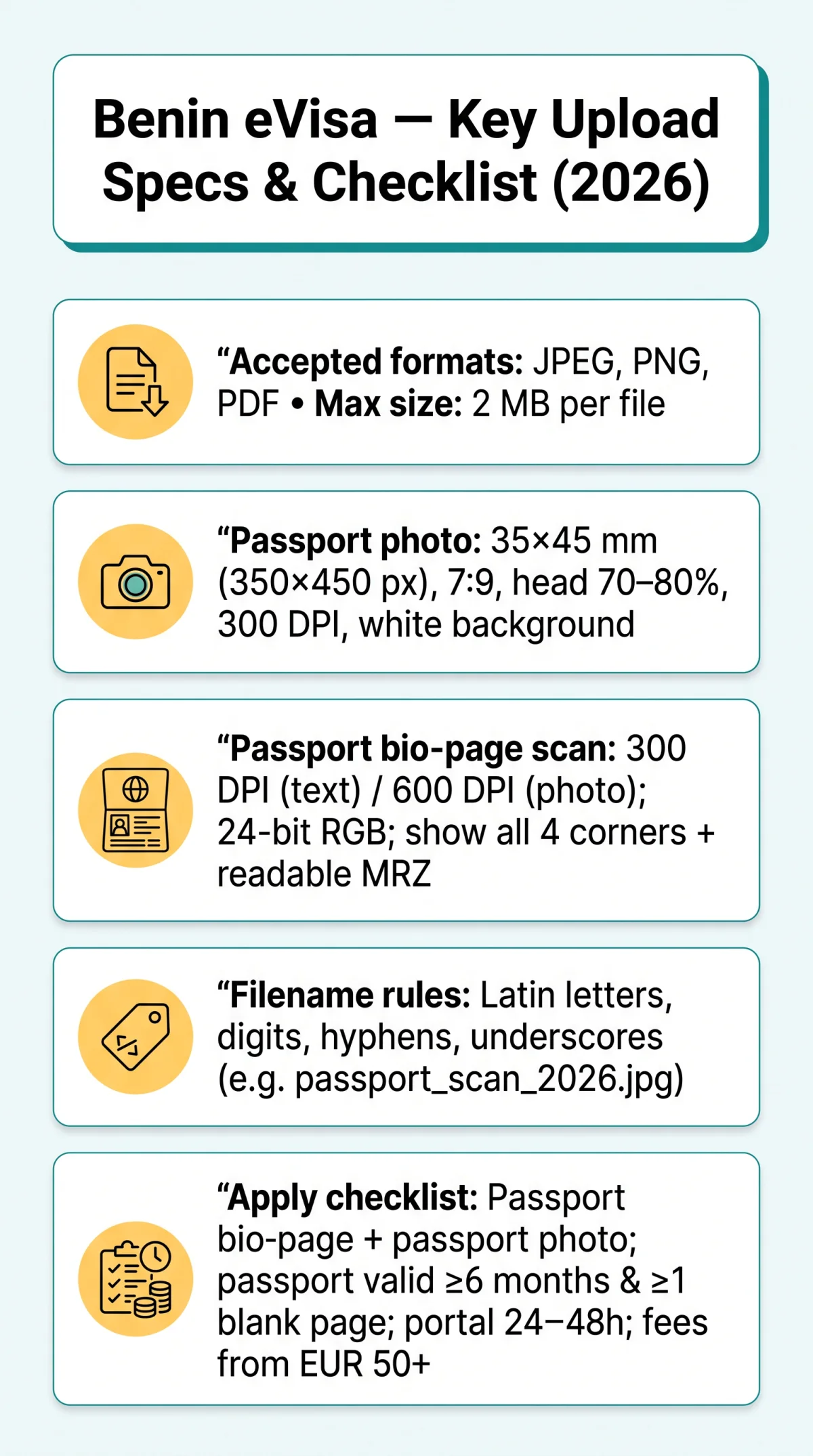
Correct Benin eVisa document format specifications require JPEG, PNG, and PDF uploads with a 2 MB maximum per file. Passport photos must measure 35 x 45 mm (approximately 350 x 450 px, 7:9 aspect ratio) on a plain white background. Document scans require 300 DPI minimum with all four corners and the Machine Readable Zone fully visible. All Benin eVisa uploaded images must use 24-bit RGB colour mode, and filenames must contain only Latin letters, digits, hyphens, or underscores.
What Is the Benin eVisa and Which Documents Do You Need?
The Benin eVisa is a web-based electronic visa issued through the official platform (evisa.bj), equivalent to a conventional visa and covering tourist, business, transit, and visiting purposes. British passport holders require a visa for entry. Your passport must be valid for at least 6 months from arrival with at least 1 blank page. The two core uploads are a digital passport photo and a passport bio-page scan. Visa costs via UK agencies start at £94.95 (30-day single entry), £114.95 (30-day multiple entry), and £139.95 (90-day multiple entry); direct portal fees start from EUR 50+. Standard processing time is 24 to 48 hours on the portal, or 10 working days via a UK agency. The approved eVisa is sent to your email after payment. On arrival, present the printed eVisa, valid passport, International Certificate of Immunization (Yellow Fever), and supporting documents including proof of onward travel, sufficient funds, and accommodation. If applying through a UK agency, the physical form must be printed single-sided, completed in BLOCK CAPITALS using black pen, with the front page returned.
Benin eVisa Document Format: Accepted File Types and Size Limits
The Benin eVisa portal accepts JPEG/JPG and PNG for photos and scans, PDF for multi-page documents; HEIC, TIFF, BMP, Word, and ZIP are rejected.
| Document Type | Accepted Format | Rejected Format |
|---|---|---|
| Passport photo | JPEG, PNG | HEIC, TIFF, BMP |
| Passport bio page scan | JPEG, PNG, PDF | Word, Excel, ZIP |
| Multi-page documents | HEIC, TIFF, BMP |
Benin eVisa document format specifications set a 2 MB ceiling per file. iPhone users must switch to JPEG by navigating to Settings, Camera, Formats, Most Compatible.
Benin eVisa Document Format: Passport Photo Specifications
Benin eVisa passport photos must be 35 x 45 mm (350 x 450 px, 7:9 aspect ratio) on a plain white background, with the head occupying 70-80% of the frame and 24-bit RGB colour mode. The photo must show a neutral expression, even illumination, and no harsh shadows.
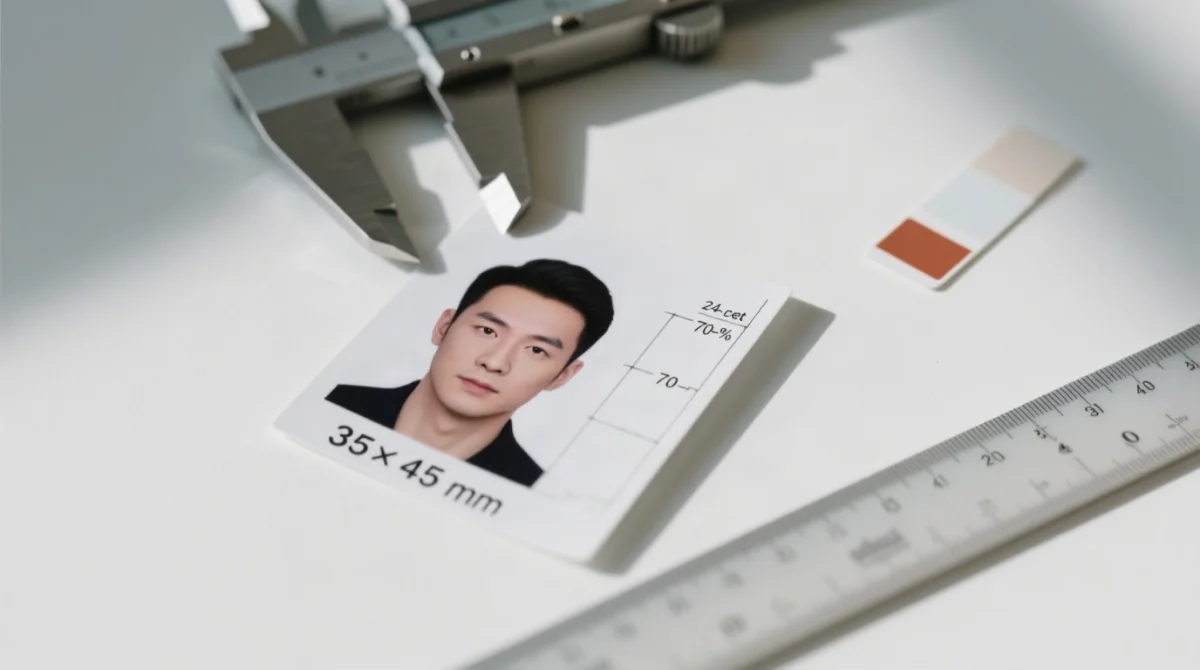
| Parameter | Requirement |
|---|---|
| Print dimensions | 35 x 45 mm |
| Digital dimensions | 350 x 450 px |
| Aspect ratio | 7:9 |
| Resolution | 300 DPI |
| Background | Plain white, no patterns, no shadows |
| Head proportion (chin to crown) | 70-80% of frame |
| Expression | Neutral, mouth closed, eyes open and visible |
| Glasses | Permitted if no glare and eyes visible; no sunglasses or tinted lenses |
| Headwear | Religious headwear permitted if chin-to-forehead visible; no hats or caps |
| Lighting | Even illumination, no harsh shadows |
| Colour mode | 24-bit RGB (true colour) |
Benin eVisa Document Scan Specifications: Resolution, Quality and MRZ Legibility
Benin eVisa document scans require 300 DPI for text documents, 600 DPI for embedded photos, colour mode, and a glare-free Machine Readable Zone with all four passport corners visible. The maximum file size is 2 MB per file; grayscale submissions are not accepted. The two core uploads are a digital photo and the passport bio page only.
| Document | Format | Max Size | Resolution | Notes |
|---|---|---|---|---|
| Passport bio page | JPEG / PNG / PDF | 2 MB | 300 DPI (text) / 600 DPI (embedded photo) | Colour scan, not grayscale; all four edges visible; no fingers, no flash glare, no clipped borders |
| Machine Readable Zone (MRZ) | – | – | – | Bottom two lines must be glare-free, shadow-free, not covered by fingers, fully readable for OCR extraction |
Benin eVisa File Naming Conventions and Upload Best Practices
Benin eVisa upload filenames must use only Latin letters (a-z), digits (0-9), hyphens, and underscores. No spaces, special characters, or non-Latin script are permitted. Correct examples: passport_scan_2026.jpg, photo_john_smith.png, passport_bio_page.pdf. Incorrect examples: photo (copy).png, pászport skan.jpg, 扫描_护照.jpg. Use the latest Google Chrome or Mozilla Firefox with pop-up blockers disabled, and complete all Benin eVisa file uploads in a single browser session to avoid timeouts.
Data Validation: Matching Your Benin eVisa Documents to Your Passport
Every data point on your Benin eVisa documents must match the passport exactly: name spelling, date of birth, passport number, nationality, and passport expiry date. Even a single character mismatch can cause rejection. Check for transliteration differences in names containing diacritics. Use the latest Chrome or Firefox with pop-up blockers disabled.
Troubleshooting Common Benin eVisa Upload Errors
Common Benin eVisa upload errors include file too large, invalid format, MRZ not readable, and session expired.
| Error Message | Likely Cause | Solution |
|---|---|---|
| File too large | File exceeds 2 MB limit | Compress below 2 MB using TinyPNG or Squoosh |
| Invalid format | HEIC, TIFF, BMP, Word or Excel submitted | Convert HEIC to JPEG before uploading |
| Image too dark | Insufficient lighting during scan or photo | Rescan with even illumination, no harsh shadows |
| Corners cut | Cropping clipped passport edges | Recrop showing all four edges of the bio-data page |
| MRZ not readable | Glare or shadows over the Machine Readable Zone | Remove glare, flatten the passport page fully |
| Session expired | Browser session timed out during upload | Complete all uploads in one sitting |
Verify file format
Confirm your file is JPEG, PNG, or PDF.
Check file size
Ensure your file is under 2 MB.
Confirm photo dimensions
Photo must be 35 x 45 mm with white background.
Inspect scan quality
Scan shows all four corners with readable MRZ.
Validate filename
Use only Latin letters and digits.
Match data to passport
Confirm all data matches your passport exactly.
FAQ
What file formats does the Benin eVisa portal accept?
The Benin eVisa portal accepts JPEG, JPG, and PNG for photos and scans; PDF for multi-page documents. HEIC, TIFF, BMP, Word, and ZIP are rejected.
What is the maximum file size for uploading documents to the Benin eVisa?
The Benin eVisa enforces a 2 MB maximum per file. Use TinyPNG or Squoosh to compress before uploading.
What size should my passport photo be for the Benin eVisa?
Benin eVisa passport photos must be 35 x 45 mm (350 x 450 px, 7:9), 300 DPI, white background, head 70-80% of frame.
Can I wear glasses in my Benin eVisa passport photo?
Prescription glasses are allowed if glare-free and eyes remain visible; no sunglasses or tinted lenses for the Benin eVisa.
Do I need a coloured scan of my passport for the Benin eVisa?
Yes, the Benin eVisa requires 24-bit RGB colour scans; grayscale is not accepted.
What DPI should I use when scanning documents for the Benin eVisa?
Use 300 DPI for text and 600 DPI for embedded photos; keep the final file under 2 MB for the Benin eVisa.
How do I fix a file too large error on the Benin eVisa portal?
Compress with TinyPNG or Squoosh below 2 MB and re-upload to the Benin eVisa portal.
Can I submit a black-and-white scan for the Benin eVisa application?
No, the Benin eVisa requires a clear colour copy in 24-bit RGB; grayscale scans are not accepted.
What is the Machine Readable Zone and why does it matter for my scan?
The MRZ is the bottom two lines of the bio page. It must be glare-free and fully readable, as the Benin eVisa portal uses OCR for data extraction; an unreadable MRZ causes rejection.
Which web browser works best for uploading Benin eVisa documents?
Use the latest Google Chrome or Mozilla Firefox for the Benin eVisa portal. Disable pop-up blockers and complete all uploads in one session.